How to Break Phone Addiction in 7 Days: A Practical Guide
A step-by-step 7-day plan to break your phone addiction and build healthier digital habits. Practical strategies that actually work, backed by behavioral science.


unhookd isunhookd is the antidote: the first iOS app that blocks your distracting apps by default, 24/7 — so you reclaim your time, energy, and attention.
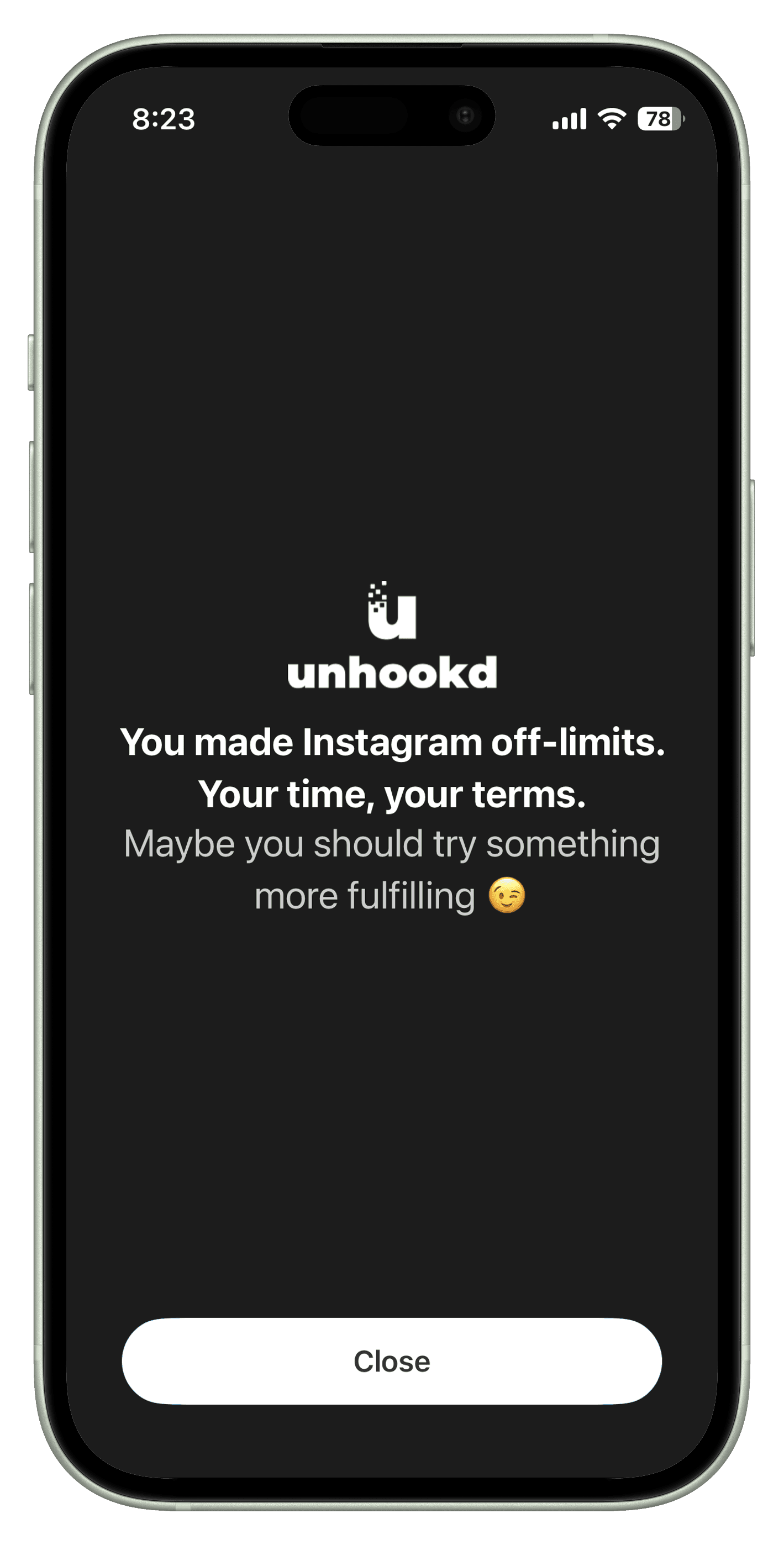
Tap Instagram. It’s blocked by default, 24/7.
say unhookd gives them back at least an hour a day.
would recommend it to a friend (rated 7+ out of 10).
say they save more than two hours a day.
Based on a survey of early unhookd users.
You pick up your phone for a message. A few swipes later, you’re somewhere you never meant to be. unhookd puts a choice between you and the scroll.
Distracting apps are always within reach.
Blocked by default, 24/7. You choose access.
See how much of your future will be spent on social media.
Each square is a day of the year. The filled ones are yours.
A simple system to break the scroll cycle
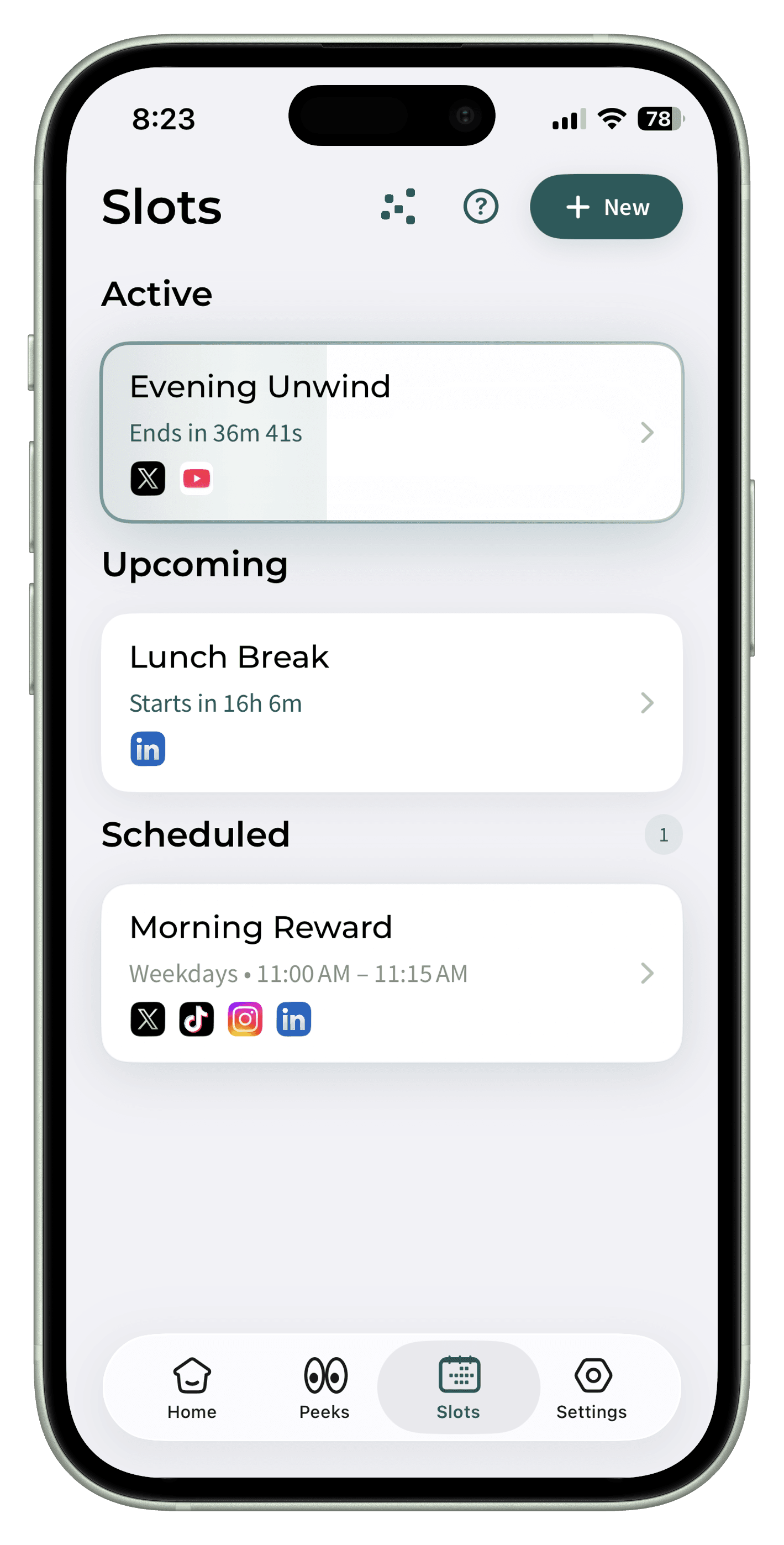
Select the social media apps you want to get unhookd from. Once chosen, these apps remain inaccessible outside your planned access times (aka Slots).
Schedule specific time slots for social media use. Plan when you want to allow access: during lunch, after work, or weekend downtime. You decide when and why you engage.
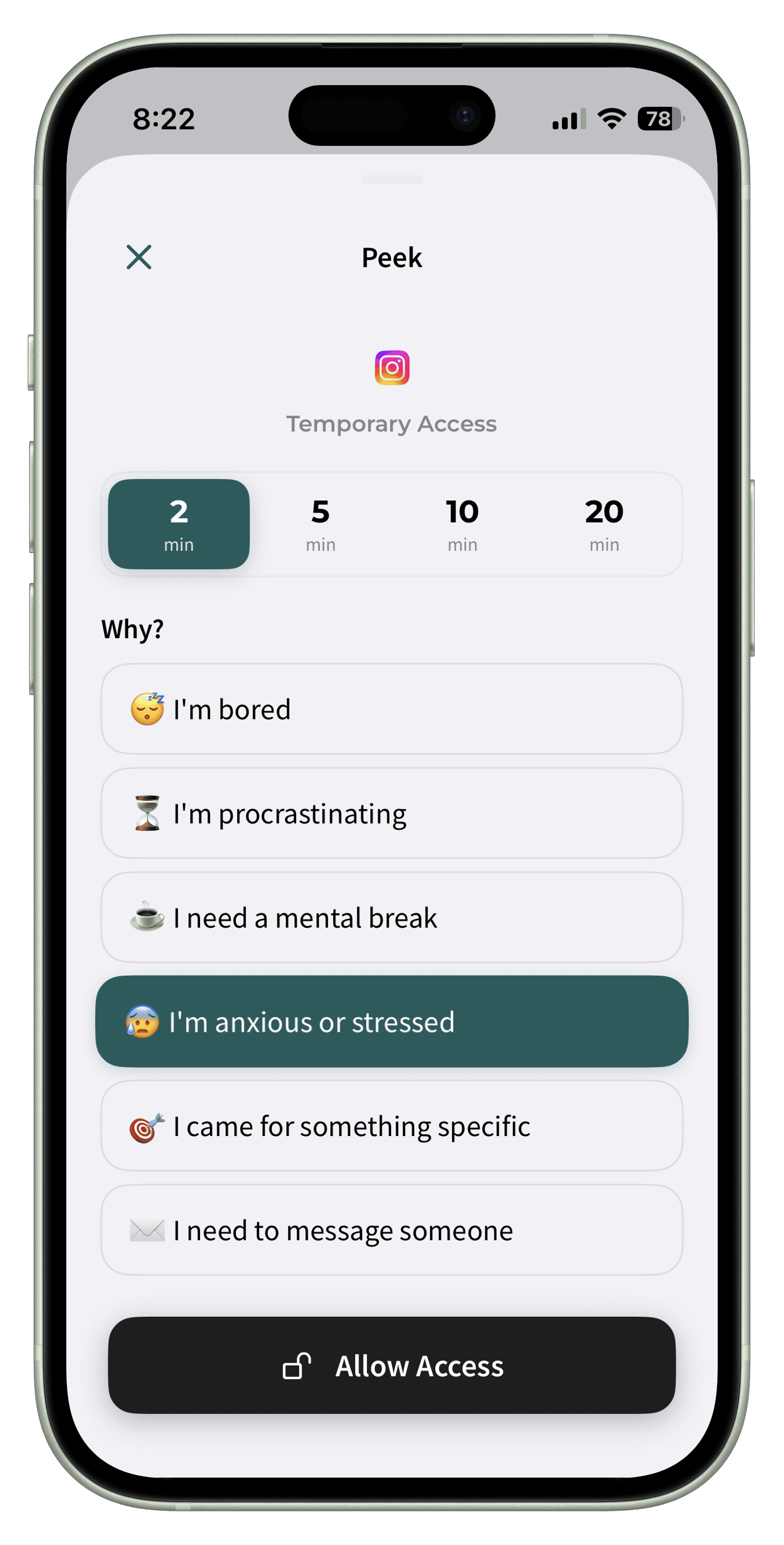
Have an emergency? Need quick access outside your planned slots? Peeks allow temporary access for 2, 5, 10, or 20 minutes. You'll need to provide a reason, helping you stay mindful about why you're reaching for that specific app.
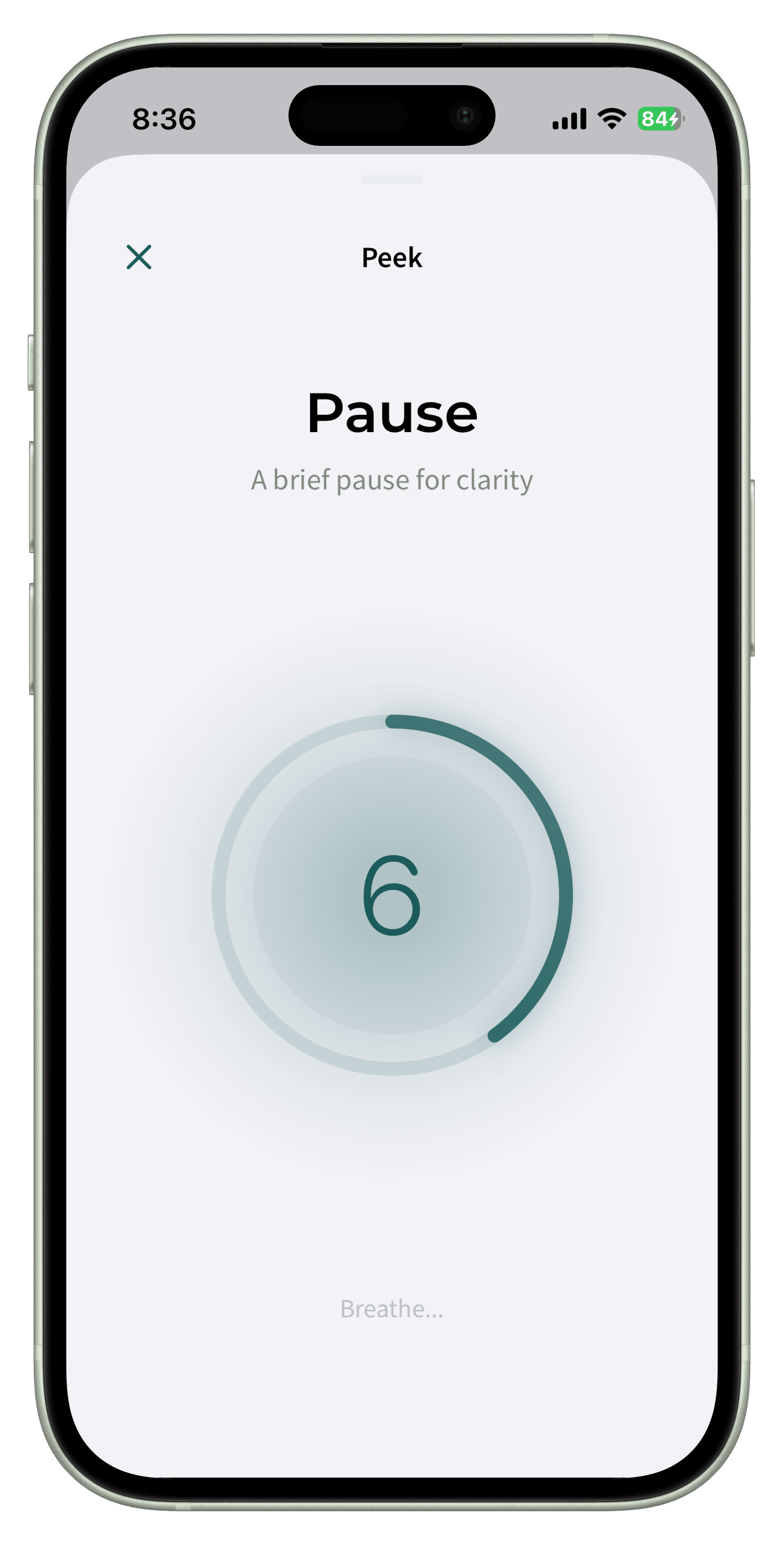
Add a little friction before a Peek opens: a short pause, a breathing exercise, or a gratitude check. It is just enough space to remember why you reached for the app, and to decide whether you still want to.
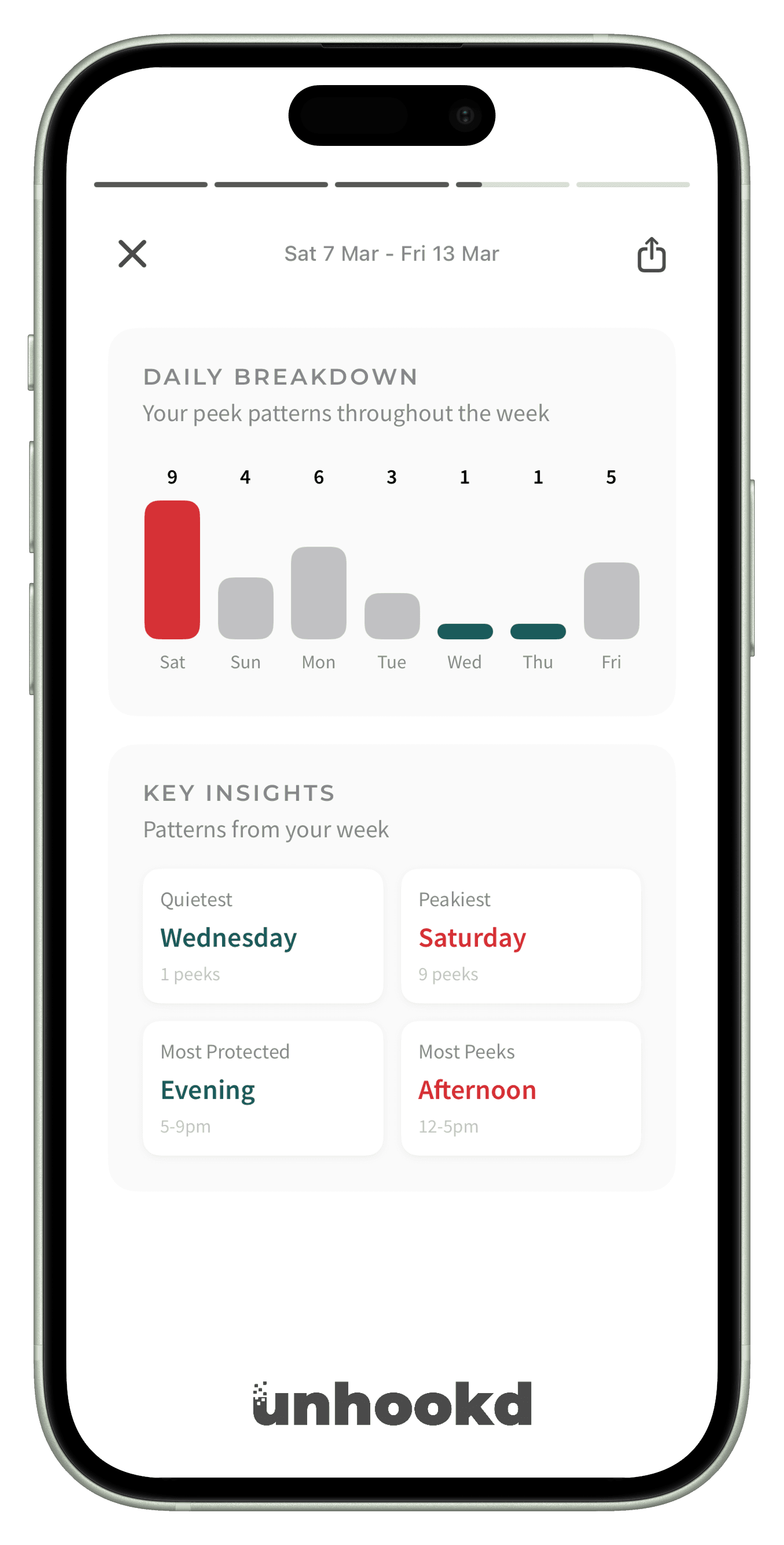
Insights show when, why, and how often you Peek. Your Unhookd Score is the share of your day spent outside scheduled Slots, so you can see your choices add up.
“I’ve been using unhookd for a couple weeks now, and it has been amazing! I only use it for social media, and it has taken my daily average from 3.5 hours down to only 20 minutes a day! Works wonders for me, thank you.”
“Since installing unhookd, my screen time has dropped by half! The extra step it adds before opening my distracting apps really makes me pause and think.”
“I'm finally 'unhookd' from Instagram and as a result way more focused at work. For the first time in years, I actually feel in control of my phone...”
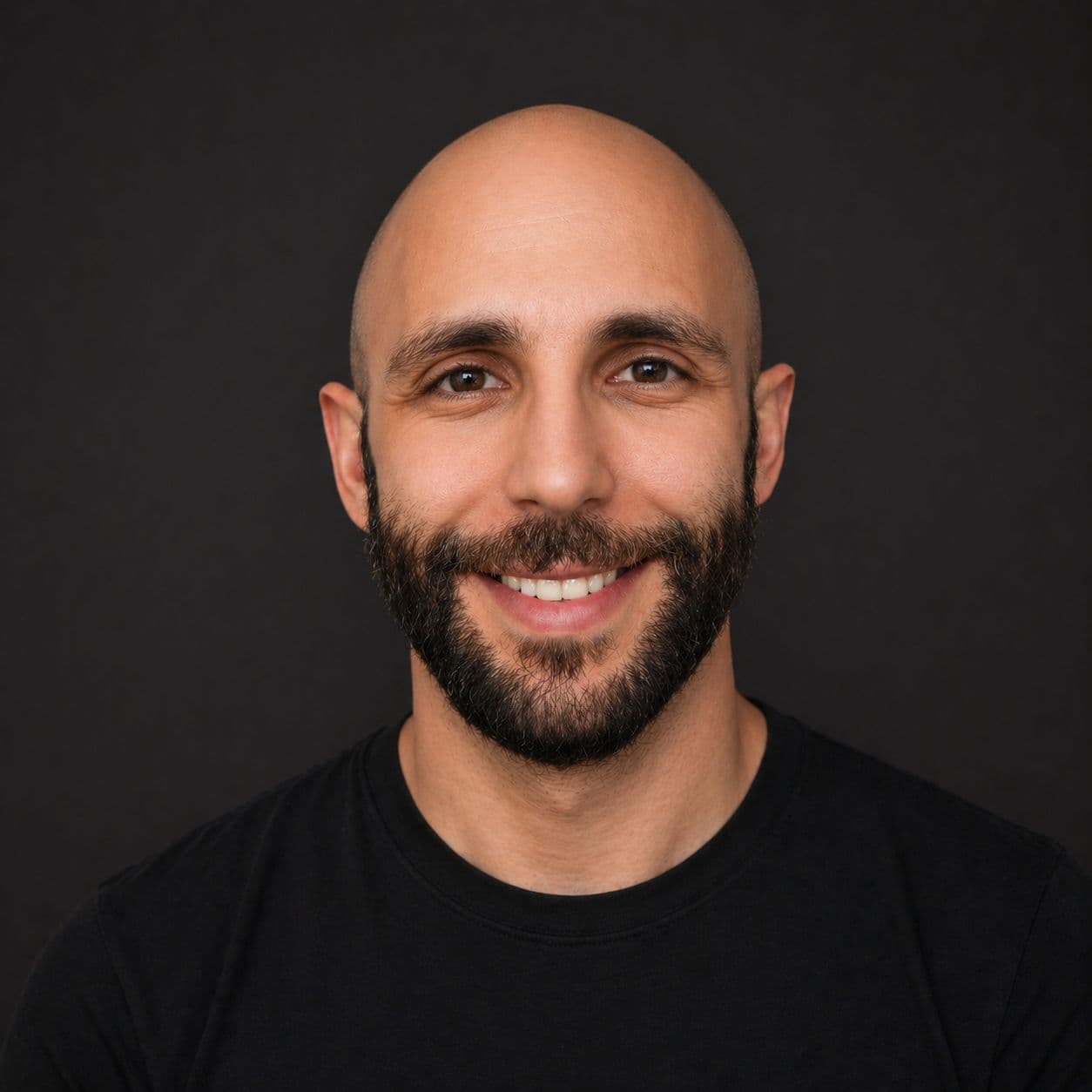
I deleted Instagram for a year. Then a day in Sri Lanka changed how I thought about social media. I built unhookd around a better default.
Read my storyA step-by-step 7-day plan to break your phone addiction and build healthier digital habits. Practical strategies that actually work, backed by behavioral science.
Frustrated with Apple's Screen Time limits being too easy to bypass? Discover why they fail and what alternatives actually help you control your phone usage.
I tested every major screen time app for iPhone. Here are the 8 best options for reducing social media use and staying focused in 2026.
No, unhookd doesn't block your apps permanently. It blocks them by default and makes them available during your scheduled slots or when you use peek access. You remain in full control of when you access your apps.
Most apps require you to actively block apps each time. unhookd flips the script by making blocked the default state. This fundamental difference means you're making a conscious choice to use social media, not a conscious choice to block it.
Yes! unhookd works with all major social platforms including Instagram, TikTok, X, Facebook, and YouTube. You can also add any distracting app to your unhookd list, including games, news apps, or shopping platforms.
Yes. For unexpected needs, our peek access lets you select a duration (2, 5, 10, or 20 minutes) and state your reason before granting brief, time-limited access. This small moment of mindfulness helps turn automatic habits into conscious choices while keeping you in complete control.
Yes! Set different slots for different days, create special schedules for weekends, or temporary disable if you're having one of those days. Your access schedule is completely customizable to fit your life.
100% yes. unhookd works with Apple's Screen Time API to monitor app usage locally on your device. All your data stays on your device and is never sold or shared with third parties. Your privacy is a core value for us, which is why we chose to build with Apple's privacy-focused tools. Read our Privacy Policy.
You can easily pause unhookd for a day or a specific period without losing your settings.
unhookd isn't designed to help you quit social media completely! It's designed to help you use it intentionally.
unhookd is free to download. The free tier includes blocking up to 3 apps, 2 slots, and 5 peeks per day. Pro unlocks everything - see current pricing in the app.
Currently, unhookd is only available for iOS devices (iPhone and iPad). We're focused on delivering the best possible experience on iOS first, and may consider Android in the future based on user demand.
Setup takes about 2 minutes: Download unhookd from the App Store, grant Screen Time permissions, select the apps you want to block by default, and set your first scheduled slot. That's it - you're unhookd!
unhookd is designed to add mindful friction, not be an unbreakable prison. You can always use peek access to get temporary access. The goal is to make you pause and think before opening social media, not to lock you out completely.
Make room for the things you meant to do.
Try unhookdFree to download · Made for iPhone